Friday Night Film Study: Using 2-Up MultiView to Benchmark Braking Markers Before Session 1
How amateur drivers use HPDE.tv side-by-side synchronized video playback to compare their cockpit turn-in points and throttle pick-up against track champions before rolling onto the grid.
Home Circuit: Michelin Raceway Road Atlanta · Chassis: Mazda Spec Miata (NA/NB)
Why Watching Single YouTube Videos Leaves Lap Time on the Table
Almost every track day driver spends the evening before an event watching YouTube in-car videos of their upcoming circuit. You watch a few laps, try to memorize the flag stations, and look at where the driver hits the brakes.
The problem with single-video study is calibration. When you watch a driver take Turn 1 at Road Atlanta or the Toe of the Boot at Watkins Glen in isolation, your brain has no baseline for visual compression. You cannot tell whether they braked at the 300-board or the 250-board without constantly scrubbing back and forth.
HPDE.tv built native 2-Up MultiView specifically to solve this problem.
Step-by-Step: Calibrating Side-by-Side Reference Stints
To set up an effective film study session, follow this proven four-step paddock protocol:
Step 1: Choose a Class-Appropriate Benchmark. Do not benchmark your street-tired Civic Type R against a 700HP GT3 Cup car. Instead, find a driver in your weight-to-power bracket, such as Danny Steyn (CH 115) in Spec Miata or Eric Kutil (CH 113) in FWD Honda.
Step 2: Sync at the Start/Finish Timing Line. Pause both players right as the front bumper crosses the start/finish beacon line on the front straight.
Step 3: Unify Playback into Sector 1. Hit play on both players simultaneously. Observe the visual delta: who begins trail-braking first, and whose steering wheel angle remains flatter at corner apex?
Step 4: Scrutinize Throttle Pick-Up Points. The biggest time delta for amateur drivers is not corner entry, it is corner exit commitment. Watch when the benchmark car achieves full wide-open throttle.
Using the HPDE.tv Undockable Popout Player, you can pin two independent 1080p stream tiles side by side on your laptop screen while taking notes in your track journal.
Mental Rehearsal Before Morning Driver Briefings
Arriving at the track on Saturday morning after a thorough 2-Up film study session changes your entire weekend trajectory. You hit the pavement on cold tires with established visual landmarks, realistic apex targets, and calm confidence.
Frequently Asked Technical & Licensing Questions
Q:Does 2-Up MultiView require a fast broadband connection?
HPDE.tv uses adaptive bitrate streaming via YouTube embedded players. The system automatically adjusts resolution to guarantee smooth parallel playback even over paddock cellular hotspots.
Q:Can I compare videos from two different channels?
Yes. Any two videos across the entire HPDE.tv network can be paired together inside the 2-Up theatre.
Q:Is MultiView available on mobile tablets in the paddock?
Yes. The MultiView layout is fully responsive and supports landscape tablet viewing on iPad and Android devices.
Want Your Build & Laps Featured on /drive?
HPDE.tv editorial spotlights are 100% free for amateur drivers, sanctioning bodies, and independent race prep shops. Claim your permanent dial number (CH 101-CH 1967) and submit your 5-point build dossier to get indexed in our next dispatch.
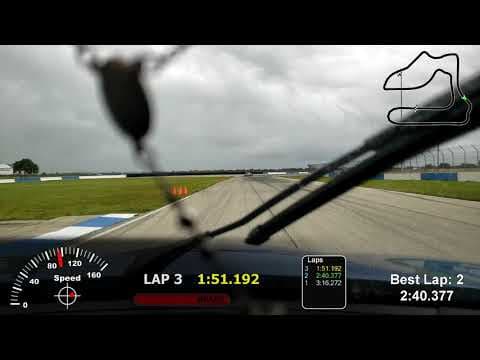
Why Promote Your HPDE.tv Channel Over a Raw YouTube Link: The Best of Both Worlds
Every stint played on your HPDE.tv channel uses the official YouTube IFrame Embed API, meaning 100% of views, watch hours, and AdSense revenue go directly to your YouTube channel while giving you a curated racing hub, a permanent CH # dial position, and side-by-side MultiView.
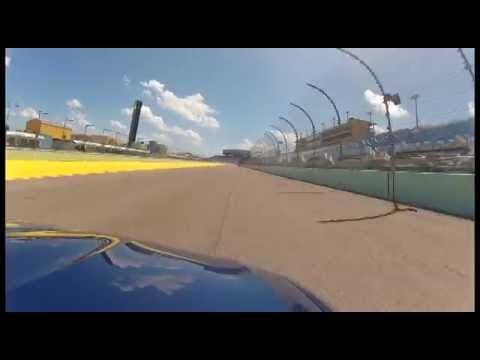
Creator Spotlights on /drive: How to Get Your Track Build, Home Circuit & PB Lap Featured
Any verified grassroots driver or channel owner from CH 101 to CH 1967 can claim their channel in seconds and submit their track car build, sector telemetry, and personal best stint to /drive.
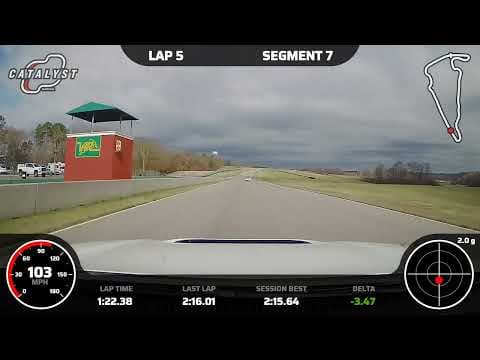
Garmin Catalyst vs. AiM Solo 2 DL vs. Cosworth PDR: Which Telemetry HUD Builds the Best Onboard Channel?
An exhaustive paddock teardown of real-time audio coaching, CAN-bus SmartyCam telemetry overlays, and factory high-definition PDR video logs for amateur track drivers.