Garmin Catalyst vs. AiM Solo 2 DL vs. Cosworth PDR: Which Telemetry HUD Builds the Best Onboard Channel?
An exhaustive paddock teardown of real-time audio coaching, CAN-bus SmartyCam telemetry overlays, and factory high-definition PDR video logs for amateur track drivers.
Home Circuit: Virginia International Raceway (VIR) · Chassis: Honda Civic Type R (FL5)
Sharing a Raw YouTube Link vs. Promoting Your HPDE.tv Channel
| Telemetry Metric / Spec | Garmin Catalyst | AiM Solo 2 DL + SmartyCam | Cosworth PDR (Factory OEM) |
|---|---|---|---|
| GPS Refresh Rate | 10 Hz TrueTrack GPS + GLONASS | 10 Hz High-Precision Multi-GNSS | |
| CAN-Bus Sensor Logging | None (Accelerometer + Camera Only) | Full CAN-Bus (Brake Bar, Throttle %, Steering Angle, RPM, Gear) | |
| In-Helmet Live Coaching | Real-time audio prompts ("Brake deeper", "Apex early") | LED predictive delta lights only | |
| Video Overlay Export | Pre-rendered Catalyst video clips with HUD | SmartyCam automatic real-time overlay or Race Studio 3 render | |
| Best Suited Driver Tier | Novice to Advanced HPDE Solo Drivers seeking pace | Club racers, Time Attack builders, and data coaches |
The Three Philosophies of Cockpit Telemetry
Creating engaging track content on YouTube requires more than just pointing an action camera at the windshield. High-performance drivers and viewers demand telemetry: vehicle speed, throttle position, brake application, and lap deltas that prove where lap time was gained or lost.
Three dominant hardware systems rule the modern paddock: the standalone Garmin Catalyst Driving Performance Optimizer, the competition-grade AiM Solo 2 DL paired with SmartyCam, and GM factory-integrated Cosworth Performance Data Recorder (PDR).
Each system solves a different challenge, and picking the right one depends heavily on your technical goals.
Garmin Catalyst: The Friction-Free Lap Optimizer
The Garmin Catalyst revolutionized grassroots track days by eliminating the laptop. Instead of wading through squiggly line charts in the paddock between sessions, the Catalyst processes your laps on its high-brightness touchscreen and generates an Optimal Lap video: an actual spliced clip showing your fastest sector executions stitched together.
Its real-time audio coaching prompts feed directly into Bluetooth intercoms or helmet speakers, telling you to brake later into Turn 1 or look further ahead through the Esses. However, because it relies strictly on 10 Hz GPS and internal accelerometers without a CAN-bus connection, it cannot tell your viewers how much brake pressure you applied or your exact throttle percentage.
AiM Solo 2 DL & SmartyCam 3: The Data Engineering Standard
In wheel-to-wheel club racing, SCCA Runoffs, and Super Lap Battle, AiM remains the undisputed king. By tapping into your vehicle OBD-II port or direct CAN-bus wiring, the Solo 2 DL samples engine RPM, throttle pedal percentage, brake line hydraulic pressure, steering angle, and individual wheel speeds.
When paired with an AiM SmartyCam 3 GP camera, that telemetry is rendered onto your video in real time at the hardware level. The moment you pull the SD card from the camera, your YouTube-ready video is already finished with crisp, zero-latency graphic dials. For viewers watching your channel on HPDE.tv, this provides pro-tier broadcast credibility.
Cosworth PDR: Factory Seamlessness
Drivers piloting Chevrolet Corvettes (C7 and C8), Camaro 1LEs, and Cadillac CT4-V/CT5-V Blackwings enjoy the luxury of factory Cosworth PDR. The camera is discreetly integrated into the rearview mirror housing, and the microphone is factory-tuned to filter wind buffeting while capturing exhaust roar.
Files save directly to a glovebox SD card in native MP4 format with crisp vector HUD graphics. While the system is locked to GM vehicles, its reliability and simplicity make it one of the most prolific setups on HPDE.tv.
Frequently Asked Technical & Licensing Questions
Q:Which telemetry system is easiest for beginners to share on YouTube?
The Garmin Catalyst or factory Cosworth PDR are easiest because they produce finished MP4 video files with embedded graphics without requiring desktop rendering software.
Q:Does AiM SmartyCam require a computer to overlay data onto video?
No. Modern SmartyCam 3 systems burn the telemetry graphics directly into the video stream while you are driving on track.
Q:Can HPDE.tv filter onboards by telemetry system?
Yes. HPDE.tv tags every video with its telemetry type, enabling users to search specifically for Garmin Catalyst, AiM Solo 2 DL, or Cosworth PDR stints.
Want Your Build & Laps Featured on /drive?
HPDE.tv editorial spotlights are 100% free for amateur drivers, sanctioning bodies, and independent race prep shops. Claim your permanent dial number (CH 101-CH 1967) and submit your 5-point build dossier to get indexed in our next dispatch.
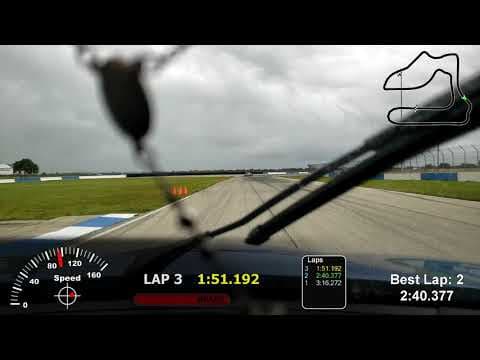
Why Promote Your HPDE.tv Channel Over a Raw YouTube Link: The Best of Both Worlds
Every stint played on your HPDE.tv channel uses the official YouTube IFrame Embed API, meaning 100% of views, watch hours, and AdSense revenue go directly to your YouTube channel while giving you a curated racing hub, a permanent CH # dial position, and side-by-side MultiView.
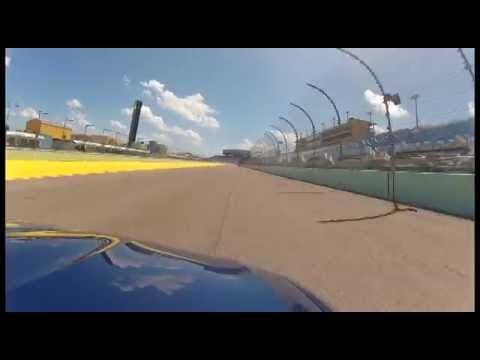
Creator Spotlights on /drive: How to Get Your Track Build, Home Circuit & PB Lap Featured
Any verified grassroots driver or channel owner from CH 101 to CH 1967 can claim their channel in seconds and submit their track car build, sector telemetry, and personal best stint to /drive.
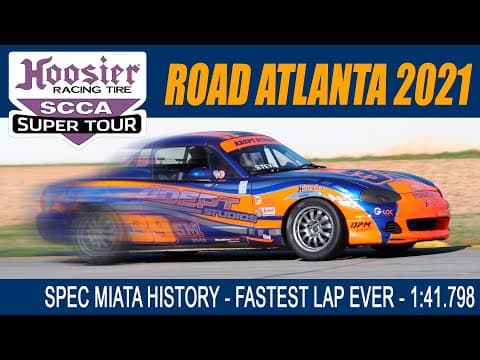
Friday Night Film Study: Using 2-Up MultiView to Benchmark Braking Markers Before Session 1
How amateur drivers use HPDE.tv side-by-side synchronized video playback to compare their cockpit turn-in points and throttle pick-up against track champions before rolling onto the grid.